Join +100K active traders
The Best Trading Journal
for Web & Mobile
Journal your crypto, forex and stock trades with auto-sync from 600+ brokers. Find the setups that work.






New
AI Analysis
Meet Your AI Trading Coach
AI Analysis reads the trades you’ve already synced and tells you, in plain English, where you stand, where you’re losing, and exactly which exit levels would have done better.
-
Where you stand
Six areas of your trading graded A to D, and the trader type that fits you best.
-
Where you’re losing
The habits that cost you most, like winners you let turn into losses, counted trade by trade.
-
How to improve
Three exit strategies replayed on your own trades, with the exact levels to set.
AI Analysis reviews the last 6 months or last 500 trades you’ve already made. Replays show past trades under different rules; they are not forecasts and not financial advice.
Where you stand
“Main account” · Last 6 months · 426 trades
B+
The Grinder
Builds steady gains while losses keep the margin narrow
Your six areas
- C Risk / Reward
- B Entry Timing
- B Profitability
- A Consistency
- B Drawdown
- A Exit Efficiency
Features
Meet Your Unfair Advantage
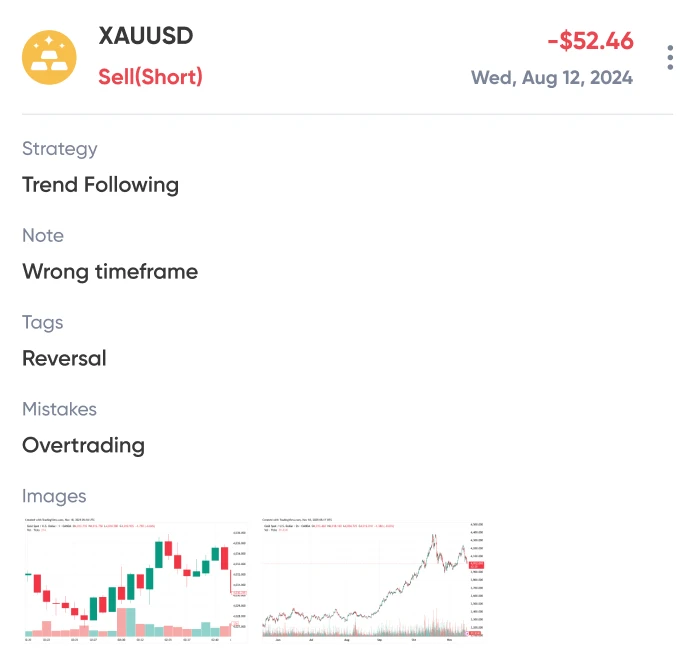
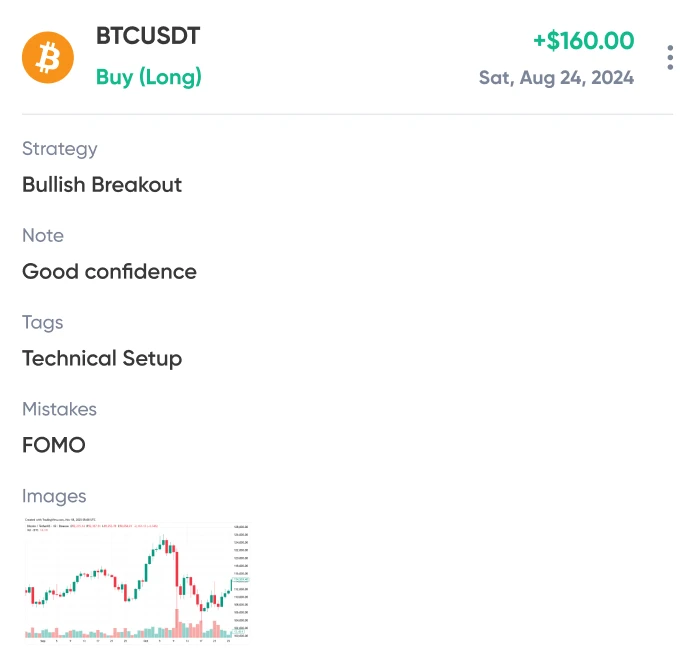
Trading Journal
Find winning (and losing) patterns faster with a journal that does the data entry for you.
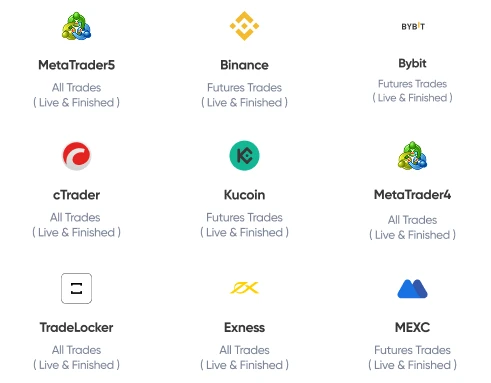
Automatic Import
Sync your broker once. UltraTrader automatically imports every trade, so you never miss a detail.
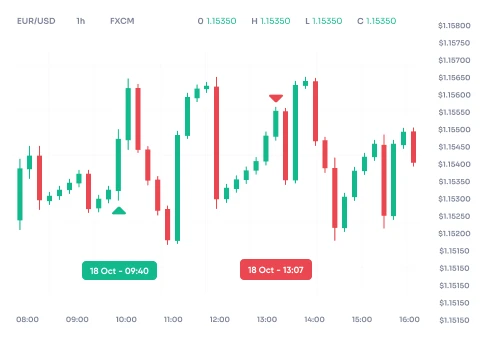
Trade Replay
See how your trades did on TradingView charts.
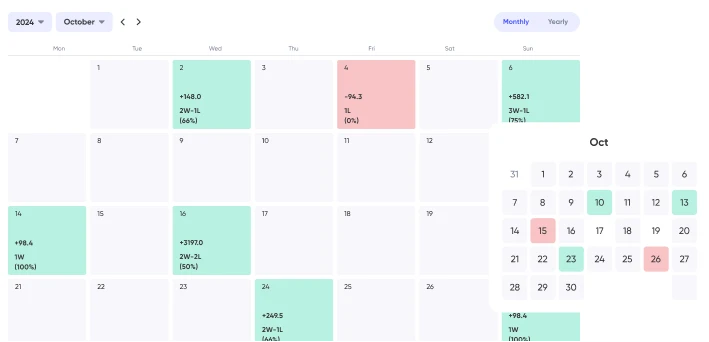
Performance Calendar
Instantly visualize your best and worst trading days. Are you a 'Green Monday' or 'Bloody Sunday' trader? Now you'll know.
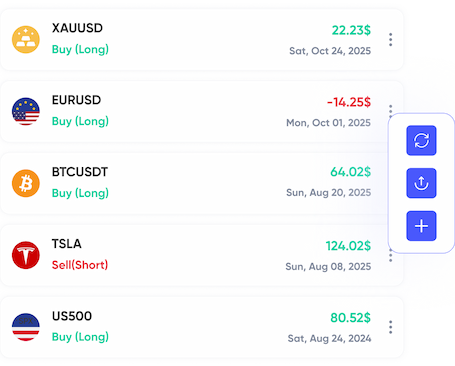
Live Trades
Track all your open positions from every broker in one unified dashboard.
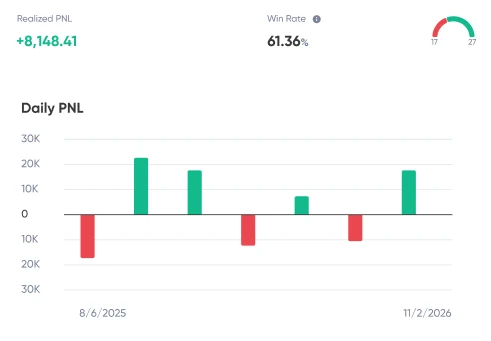
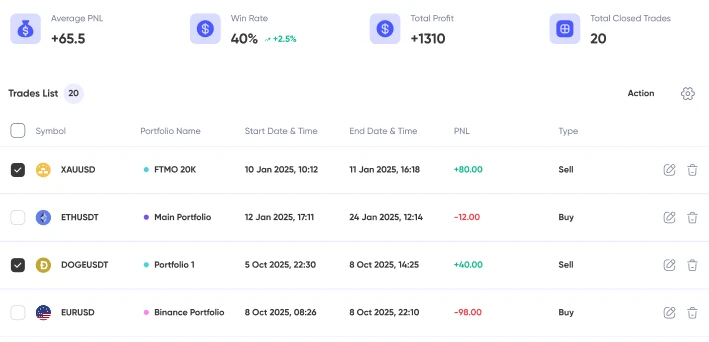
Detailed Metrics & Analysis
Go beyond P&L. Instantly see your win rate, risk/reward ratio, most profitable setups, and more.
How It Works
Build A Strategy That Turns Your Portfolio From Red To Green
Step 1
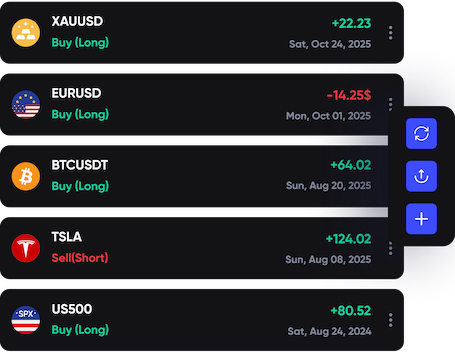
Auto-Sync
Connect your broker and let Ultra Trader build your journal for you. Use tags & templates to identify patterns.
Step 2
Find Your Edge
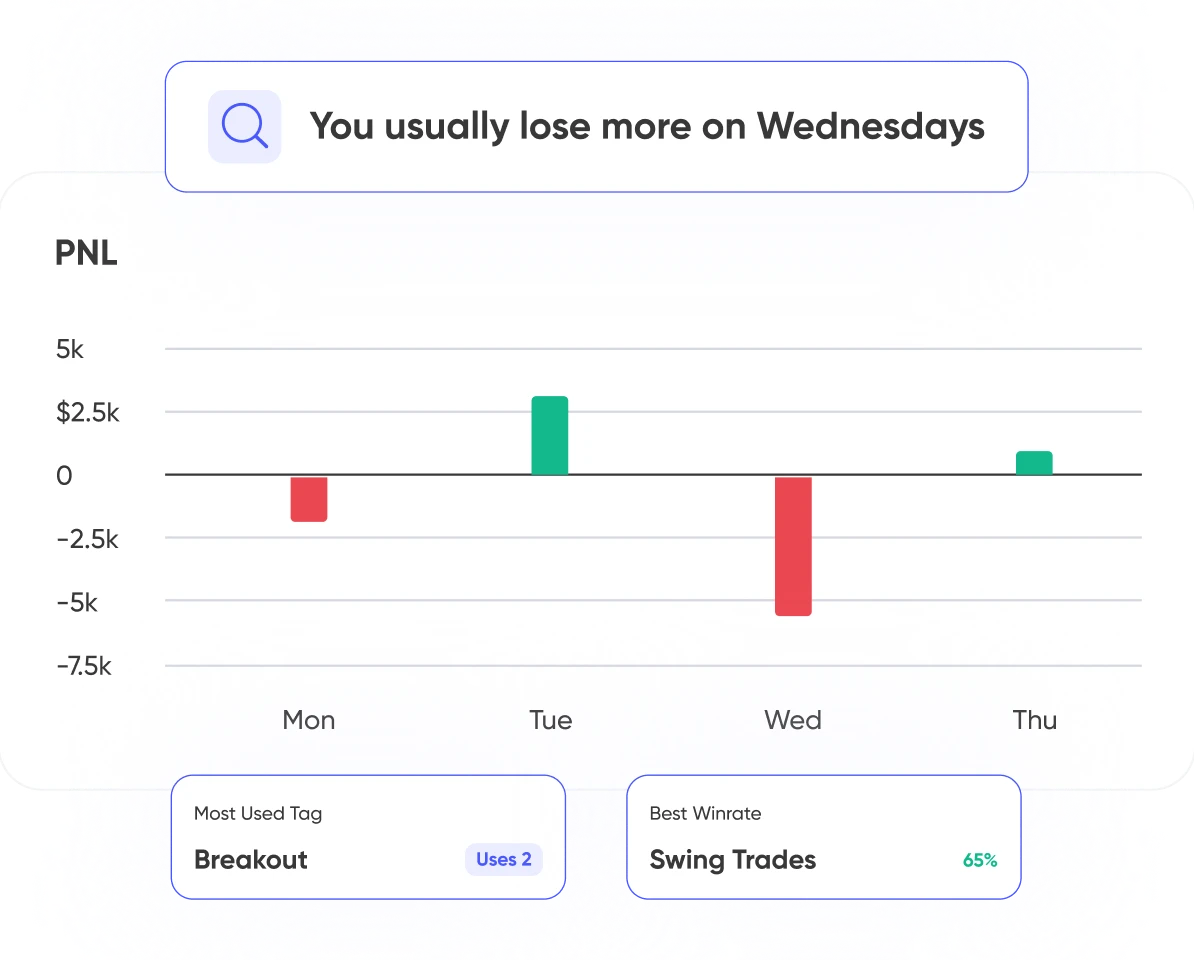
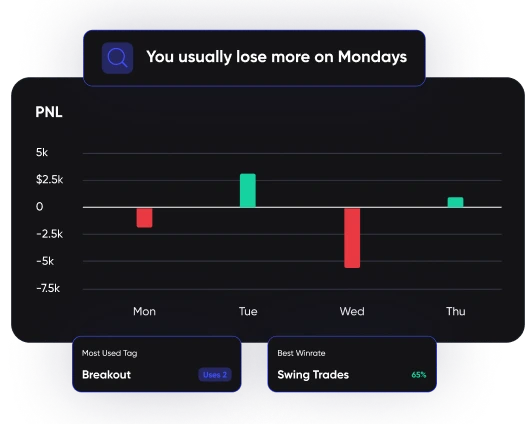
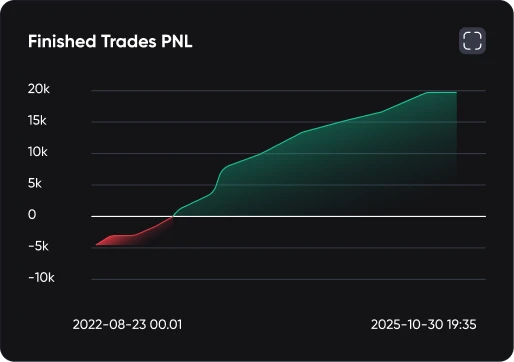
UltraTrader shows your win rate, average win against average loss, and which setups and tags actually make money. The same breakdown shows where losses cluster, so you can see what is costing you instead of guessing.
Step 3
Trade with Confidence
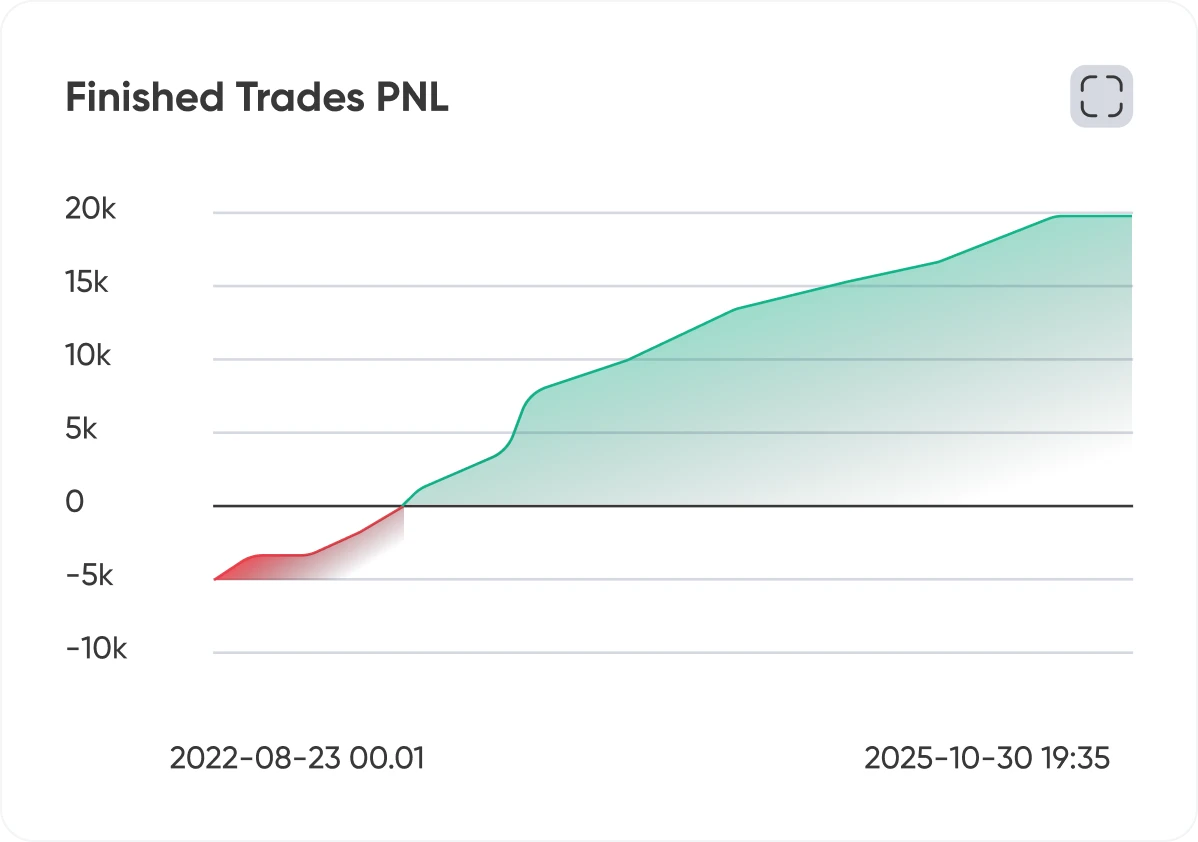
Tag every trade with the rules you followed or broke, then compare results across tags. Your own trade history shows which habits cost money, so the discipline problem becomes something you can measure instead of something you feel.
Step 3
Trade with Confidence
Tag every trade with the rules you followed or broke, then compare results across tags. Your own trade history shows which habits cost money, so the discipline problem becomes something you can measure instead of something you feel.
Power. Security. Support.
One Click Export for Tax Report
Bank-Grade Security
24/7 Support
Pay Your Way (Credit & Crypto)
Accurate Price Alerts
Integrated Trading View Charts
Broker Connection
Connect with Your Favorite Brokers
Set up a read-only connection in less than a minute to import all your trades. UltraTrader auto-syncs with Binance, Bybit, OKX, KuCoin, MEXC, Bitget, Blofin, TradeLocker and cTrader, plus over 500 MetaTrader 4 and MetaTrader 5 brokers including Exness, XM, OANDA and IC Markets.
See All Brokers
FAQs
Can’t find an answer for your questions?
Ask our
UltraTrader is the best trading journal and trade tracker for serious traders across crypto, forex, and stock markets, helping them track performance and improve their strategies.
It eliminates manual data entry through automated broker syncing, calculates complex performance metrics instantly, and provides interactive visual charts and dashboards.
Yes. UltraTrader uses encrypted, read-only API connections. The platform can only view your trade history and has zero access to move funds or execute trades.
Yes, a Free plan is available with core journaling features and paper trading. You can read about the freemium and premium versions on our Pricing page.
Yes, you can import historical data via broker CSV files or through your broker’s API.
By providing analytics on your win rate, risk-to-reward ratio, and performance by asset or tag, UltraTrader helps you identify what strategies make money and which mistakes drain your account.
Yes. UltraTrader connects to MetaTrader 4 and MetaTrader 5 through a read-only auto-sync, covering over 500 MT4 and MT5 brokers including Exness, XM, OANDA and IC Markets. You can also upload a file of historical trades from any broker.
No. UltraTrader covers crypto, forex and stocks. Futures are not supported.
The export is a spreadsheet with one row per closed trade and these columns: Symbol, Side, Avg Entry, Amount, Start Date, Avg Exit, Close Date, Notes, Strategy, Confidence, PNL. It is raw trade data for you or your accountant to work from, not a jurisdiction-specific tax form.
Testimonials
Join the community

Your Breakeven Win Rate After Spread and Commission

Losing Streak Math: How Long Is Normal at Your Win Rate

Position Size Creep: Are You Trading Bigger After a Winning Streak?
Where Did Your Profit Go? How UltraTrader AI Ranks Your Trading Leaks

Risk of Ruin in Trading: Stress-Test Your Position Size With Journal Data

UltraTrader on Your Preferred Device
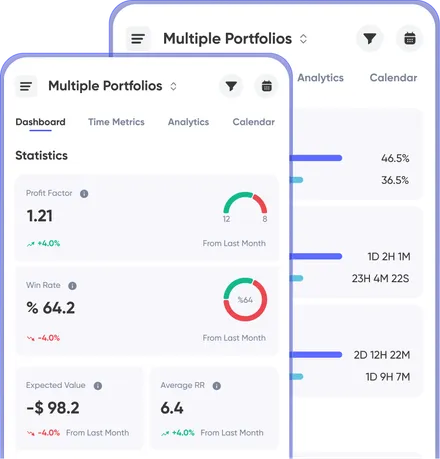
All the goods in the web app are available on mobile as well.
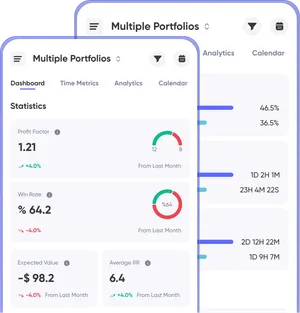
UltraTrader on Your
Preferred Device
Preferred Device
All the goods in the web app are available on
mobile as
well.

UltraTrader is a personal trading journal and analytics app for reviewing trades you make elsewhere. It is not trading software, a broker, an exchange, or a crypto service, it never touches your funds or assets, and it provides no financial, investment, tax, or legal advice.
Backed byGeneral
Solutions
Free Tools
© Copyright 2026 UltraTrader. All rights reserved